 Video Diary
If you want a video journal you'll still be keeping in six months, the deciding factor isn't the feature list — it's how many taps stand between opening the app and recording. Six apps here handle that differently, and they split cleanly by what you want back at the end: a film, a searchable record, or just the entries themselves. I built one of them, so I'll say up front which one it is and where it loses.
How I judged these
Six criteria, all of which you can check yourself in about ten minutes with the apps installed. None of them are things I picked because my app happens to win them — the last two, in particular, I lose.
- Time from open to recording. Count the taps from the home screen to a running camera. This is the single best predictor of whether the habit survives past week two.
- What touches your entries. Do videos stay on your device or your own iCloud, and does anything transcribe, summarize or analyze them? There's no wrong answer here, but there is a wrong answer for you, and it's worth deciding before you commit a year of unguarded footage.
- Clip length freedom. Some apps are built around a fixed one-second snippet. That's a feature for highlight reels and a constraint for actual journaling.
- Whether it gives you a film back. Recording is the habit; rewatching is the reward. An app that can stitch your clips into one movie gives you a reason to keep going.
- Whether you can find anything later. A calendar, moods, notes, search. Without structure, a year of entries is a camera roll.
- What it costs to simply keep the habit. Paying for extras is fair. Paying a subscription for permission to record today is not.
The six apps
Video Diary — best for a private, video-first daily diary
Best for: someone who wants to talk to a camera every day and have nobody, including a model, listen back.
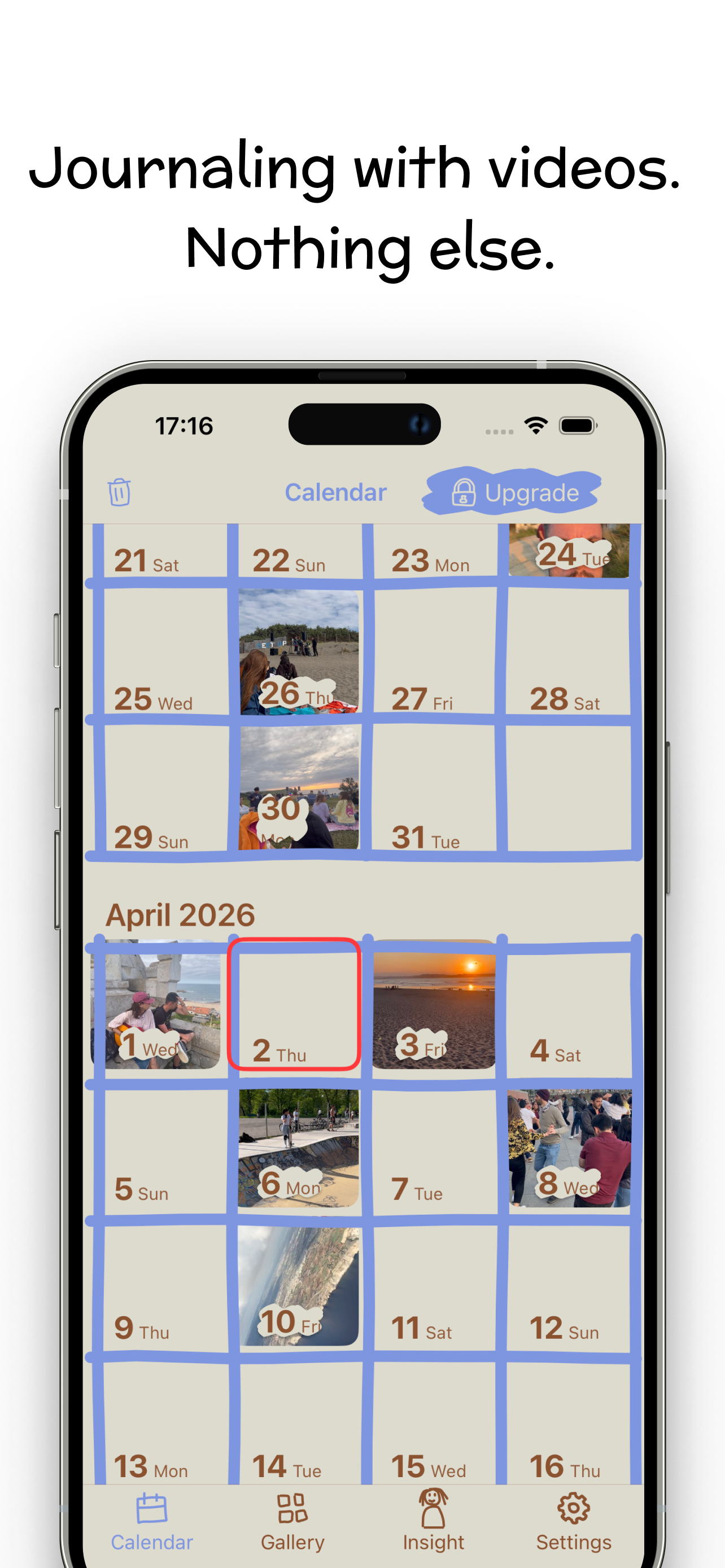
This is mine, so treat the praise with suspicion and the criticism as the useful part. It opens directly on the camera — one tap from the home screen to recording, no account, no onboarding, no feed. Entries land on a calendar with an optional mood and a written note, and the montage maker stitches days into one film at any clip length you like. Nothing is transcribed or summarized; there is no AI anywhere in the app and no sharing features to accidentally leave on.
It's free to record daily. Premium ($6.99/week or $44.99/year in the US) adds colour palettes, fonts, Face ID lock and iCloud backup. It runs on iPhone, on Apple silicon Macs, and on Vision Pro, and it holds 4.5 stars — from 25 ratings, which is a small enough number that you should weigh it accordingly.
Where it loses: there is no Android or web version, and because nothing is transcribed you cannot search what you actually said — only what you typed. If either of those matters, one of the apps below is a better answer for you.
1 Second Everyday — best for the year-in-one-film highlight reel
Best for: people who want a single watchable movie of their year more than they want a diary.
1SE invented this category and still owns it, with a WEBBY and over ten million users behind it. The one-second constraint is the whole idea: it makes a year of footage watchable in six minutes, and it makes daily capture feel trivially small. Pro extends snippets to ten seconds, adds unlimited backup, licensed music and collaboration, and runs $49.99 a year on the App Store. There's an Android version, which none of my top picks have.
Where it loses: the constraint that makes the film good makes the journaling thin — a second is not enough to say anything. Recent App Store and Play reviews also complain about features moving behind the paid tier; if that's what brought you here, I go through what Pro actually covers and which apps replace it app by app. If the montage is the point, this is still the app; I wrote a whole guide on the one-second-a-day approach and where it works.
Confide — best if you want your entries transcribed and searchable
Best for: people who talk to process, and want to find "that time I talked about the job offer" a year later.
Confide records video entries and then transcribes and organizes them, with an AI layer that gives feedback and turns entries into something closer to a conversation. Entries are end-to-end encrypted. It's free with a paid tier, runs on iPhone and iPad, and sits at 4.7 stars from around 8,100 ratings — a much larger base than mine.
Where it beats me, plainly: searchable speech is genuinely useful and I don't offer it, because offering it would mean sending your entries somewhere to be processed. Confide made the opposite call. If you want the transcript more than you want the entries left alone, use Confide — that's a real tradeoff, not a flaw.
Day One — best written journal that also holds video
Best for: people who mostly write and want video as an attachment rather than the main event.
Day One is the mature, careful option: end-to-end encryption, unlimited photo and video attachments on a paid plan, and — unusually for this list — real cross-platform reach, with iPhone, iPad, Apple Watch, Vision, Android and web. Silver runs $8.99/month or $49.99/year; the Gold tier adds AI features like entry summaries and smart titles. It's 4.8 stars from 117,000 ratings on the App Store.
Where it loses: video is a guest in a text app. There's no daily-clip calendar built for video and no montage at the end, so you get a good archive rather than a film. If you're on Android and want video journaling, this is still probably your best option. I've gone through what Day One's plans allow for video separately.
Apple Journal — best free option you already have
Best for: people who want to start tonight without installing anything.
Apple's own Journal is free, built in, and as of iPadOS 26 and macOS 26 it finally runs on iPhone, iPad and Mac with everything synced. It takes photos, video, audio and location, suggests entries based on your activity, and costs nothing, ever.
Where it loses: it's a text journal with media attached, not a video diary — there's no video-first capture flow, no clip-per-day calendar, and no montage. It's a genuinely good free starting point, and a lot of people never need more than it. I've gone into whether Apple Journal works as a video diary in more detail separately.
Memovi — one to watch, if you're on Android
Best for: Android users who want daily clips and refuse to rent them back.
Memovi does daily clips with automatic daily, weekly, monthly and yearly chapters, keeps video local-first with optional cloud backup, and — the interesting part — sells Pro as a one-time purchase rather than a subscription. The free tier allows three clips a day with watermarked exports.
The catch: at the time of writing it's Android only, with iOS listed as coming soon. I'm including it because if you're reading this on an Android phone, most of this list isn't available to you, and this is the closest thing to a video-first daily diary that is.
The apps side by side
| App | Best for | Clip length | Entries processed by AI? | Platforms | Price |
|---|---|---|---|---|---|
| Video Diary | Private daily video diary | Any | No | iPhone, Mac, Vision Pro | Free; Premium $44.99/yr |
| 1 Second Everyday | Year-in-one-film montage | 1s free, 10s on Pro | No | iPhone, Android | Free; Pro $49.99/yr |
| Confide | Searchable spoken entries | Any | Yes — transcription and AI feedback | iPhone, iPad | Free with paid tier |
| Day One | Writing, with video attached | Any (attachment) | Optional, on the Gold tier | Apple, Android, web | Free; Silver $49.99/yr |
| Apple Journal | Free, already installed | Any (attachment) | On-device suggestions | iPhone, iPad, Mac | Free |
| Memovi | Daily clips without a subscription | Any | No | Android (iOS coming) | Free; Pro one-time |
Which one should you pick?
Answer one question — what do you want to have in a year? — and the choice mostly makes itself.
- A private record of how you actually were: Video Diary. Video-first, calendar-structured, nothing processed.
- A six-minute film of your year: 1 Second Everyday. The constraint is the feature.
- A searchable archive of your own thinking: Confide. Accept the transcription tradeoff knowingly.
- Mostly writing, occasional video, on every device: Day One.
- Nothing installed and nothing spent: Apple Journal.
- You're on Android: Day One, or Memovi if you want daily clips without a subscription.
If you're specifically shopping on iPhone and want the criteria rather than the picks, I go deeper on that in what actually matters in a video diary app.
If the private, video-first one is the one you want
Video Diary opens on the camera. No account, no feed, no AI — you tap record, say what happened, and it lands on your calendar. The montage maker turns those days into one film whenever you want to watch the year back.
Free for daily journaling, on iPhone, Mac and Vision Pro. Try Video Diary free — and if the transcription tradeoff above matters more to you, take Confide instead. I'd rather you keep journaling than keep my app.
Frequently asked questions
What is the best free video journaling app?
Video Diary and Apple Journal are both free for the core habit. Apple Journal is already on your iPhone and costs nothing ever, but it is text-first with media attached. Video Diary is video-first and free to record every day; its Premium tier only adds palettes, fonts, Face ID lock and iCloud backup.
Is there a video journaling app that does not use AI?
Video Diary does no AI processing of entries: nothing is transcribed, summarized or sent to a model. 1 Second Everyday and Memovi are also built around clips rather than analysis. Confide and Day One Gold both add AI features, which is a benefit or a dealbreaker depending on what you want from a diary.
Learn more: keeping a private video diary →Can I search what I said in a video journal?
Only if the app transcribes your entries, which means sending them to a transcription service. Confide does this well. Video Diary deliberately does not, so you can search your written notes but not your spoken words. If searchable speech matters more to you than keeping entries unprocessed, pick a transcribing app.
How much storage does a daily video journal use?
Budget roughly a gigabyte or two a year for short daily clips, depending on length and recording quality. Video is heavier than text, which is the honest cost of the format. Apps that keep video on-device use your phone storage; cloud backup is usually the paid part of any of these apps.
Learn more: turning daily clips into one film →