 Video Diary
This list is shorter than it was a year ago. Day One — the app most people land on first — moved summaries, prompts and a chat interface into a new Gold tier in April 2026. Apple has said Journal gets AI writing prompts in iOS 27. Most of the pages currently ranking for this question were written before either happened, which is why several of them still tell you Day One has no AI in it.
What "no AI" has to actually mean
The phrase has been stretched to the point of uselessness. An app can put "private, on-device AI" on its listing and mean anything from a spell checker to a model that reads every entry you've ever written. Three questions separate the real thing from the marketing:
- Does anything read the entry? Not "does it leave the device" — does any model process the text or audio at all. Transcription counts. Sentiment scoring counts. "Smart title suggestions" counts.
- Is the AI a tier or a foundation? If it's a paid add-on, you can decline it and the app still works, which is the Day One situation. If the app's core loop is a chat that turns into an entry, there is nothing to decline.
- Can it arrive in an update? This is the one nobody checks. An app with a subscription and a roadmap has a commercial reason to add AI next year. An app with no server has a much harder time doing it quietly.
Question three is why I've weighted architecture over promises below. A company that keeps your entries on its own machines can change its mind about what to do with them. A company that never receives them can't.
The six apps
Cozy — the strictest option
Best for: someone who wants a guarantee rather than a privacy policy.
Cozy stores entries as plain text files in a folder on your computer. There's no server, no account, and nothing to sign into. The company's own line is that it has no AI features at all, and the architecture backs that up in a way a promise can't: there's no backend for a model to sit behind. If you want the folder synced, you put it in iCloud or Dropbox yourself and that's your decision, not a default.
It's $35 once, on Mac, Windows, iPhone and iPad, with a 14-day money-back window.
Where it loses: plain text files are a format, not an experience. No mood graphs, no media-rich entries, no calendar of thumbnails. Thirty-five dollars up front is also a real ask for something you might abandon in three weeks — which is the honest risk with any journal.
Penzu — the free one that needs nothing installed
Best for: people who write at a desk, on whatever machine is in front of them.
Penzu has been doing private online journaling since 2008, which in this category counts for something: it predates the entire AI wave and never pivoted into it. Nothing on its site mentions AI features. The free tier gives you unlimited entries; Pro is $19.99 a year and Pro+ is $49.99 a year, which add things like tagging, search, PDF export and entry-level encryption.
It runs in any browser and has iOS and Android apps.
Where it loses: your entries live on Penzu's servers. That's a fundamentally different trust model from Cozy's folder-on-your-disk, and encryption is a paid feature rather than the default. The interface also looks its age.
Apple Journal — free, already installed, and on a clock
Best for: starting tonight without spending anything or deciding anything.
It's free forever, it's on your phone already, and since iPadOS 26 and macOS 26 it syncs across iPhone, iPad and Mac. Entries are stored on-device with end-to-end encrypted iCloud sync. There's no AI chat layer in the core app today.
Where it loses: "today" is doing work in that sentence. Apple demonstrated dynamic AI writing prompts for Journal in iOS 27 — prompts generated from what you've already written, which means something is reading the entry to produce them. If you're choosing a no-AI journal specifically and you update your iPhone like everyone else does, you are choosing an app that is scheduled to stop being one. It's still the right place to find out whether you'll stick with journaling at all before paying for anything.
Diarium — the cross-platform one without a subscription
Best for: a Windows and Android household that wants one journal everywhere.
Diarium runs on Windows, Android, iPhone, iPad and Mac — the widest reach on this list by some distance — and it sells Pro as a one-time purchase per platform rather than a subscription. Nothing on its site advertises AI features. It takes photos, video, audio and arbitrary file attachments, and it can pull in the photos and videos you shot on a given day from your camera roll.
Where it loses: paying per platform adds up if you genuinely use five of them, and the app's current prices are only shown inside the app and the store listings, so check before you buy. It's also a lot of app — the feature surface is closer to a personal database than a diary, which is either the appeal or the problem depending on you.
Day One — still qualifies, with a footnote
Best for: people who want the most polished written journal and are willing to decline a tier.
Day One is the best-built app in this category and I'd be lying to say otherwise. End-to-end encryption, genuine cross-platform support, a mature and careful piece of software. In April 2026 it launched Gold at $74.99 a year: Daily Chat, entry summaries, Go Deeper prompts, title suggestions, image generation. That's the tier with the AI in it.
Basic is free. Silver is $49.99 a year and has none of those features. So Day One belongs on this list — you just have to keep choosing not to upgrade, on an app whose company has now built a commercial case for the thing you're avoiding.
Where it loses: only that. If Day One had never shipped Gold it would be the flat recommendation here for written journaling, and for a lot of readers it still should be. If you'd use it mainly for video, I've covered how Day One works as a video journal too.
Video Diary — if the entries are spoken
Best for: someone who'd rather talk for ninety seconds than write, and wants nobody listening back.
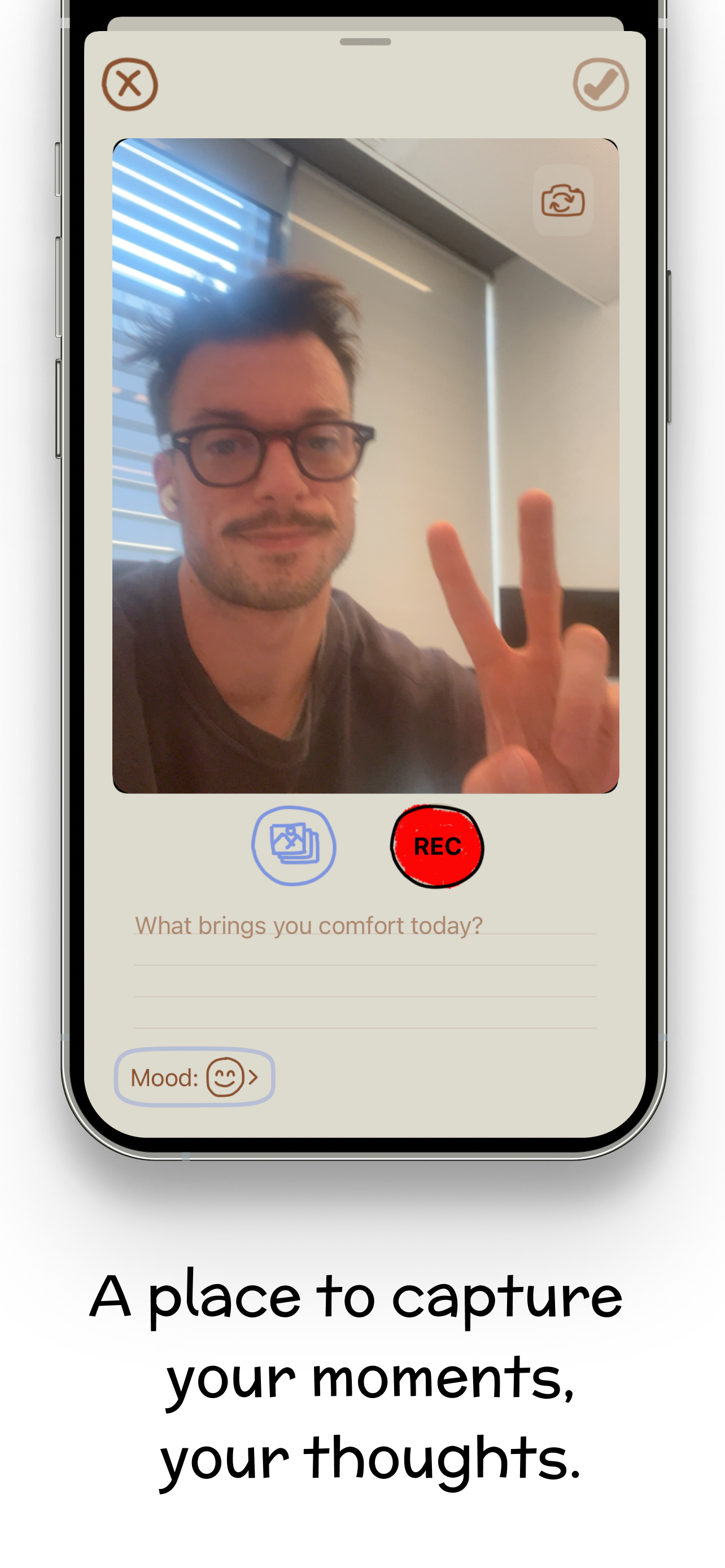
This one's mine, so the useful half of this section is the criticism. It's a video journal: it opens directly on the camera, you tap record and talk, and the entry lands on a calendar with an optional mood and a written note. Nothing is transcribed, summarized, scored or sent anywhere — there is no model in the app at all. The daily reflection question on the record screen is a fixed list I wrote, not something generating questions about you. A montage maker stitches your days into one film at whatever clip length you want.
Free to record every day. Premium on the US App Store is $6.99 a week or $44.99 a year, and it buys colour palettes, fonts, Face ID lock and iCloud backup — not the ability to journal. It runs on iPhone (iOS 17.6+), Apple silicon Macs and Vision Pro, and it's at 4.5 stars from 31 ratings, which is a small enough base that you should treat it as a signal rather than proof.
Where it loses: no Android, no web, and it is not an iPad app — iPad runs it scaled. And the no-AI stance has a direct cost: because nothing is transcribed, you cannot search what you said, only what you typed in a note. If finding "that time I talked about the job offer" matters more to you than keeping the recording unprocessed, a transcribing app genuinely serves you better, and I'd rather say so than sell you the wrong thing.
If it's the spoken kind you want left alone
Video Diary opens on the camera. No account, no feed, no model anywhere near what you say. You tap record, talk for a minute, and it lands on your calendar — and at the end of the year the montage maker turns those days into one film.
Free for daily journaling, on iPhone, Mac and Vision Pro. Try Video Diary free. If you'd rather write than talk, take Cozy or Day One instead — the point is that you keep a diary, not that you keep mine.
The apps side by side
| App | Entries stored | AI in the app? | Platforms | Price |
|---|---|---|---|---|
| Cozy | Plain files, your disk | None | Mac, Windows, iPhone, iPad | $35 one-time |
| Penzu | Penzu's servers | None advertised | Web, iOS, Android | Free; Pro $19.99/yr |
| Apple Journal | On device, E2E iCloud sync | None today; prompts due in iOS 27 | iPhone, iPad, Mac | Free |
| Diarium | On device, your own sync | None advertised | Windows, Android, iPhone, iPad, Mac | Free; Pro one-time per platform |
| Day One | Synced, E2E encrypted | Only on Gold ($74.99/yr) | Apple, Android, web | Free; Silver $49.99/yr |
| Video Diary | On device / your iCloud | None | iPhone, Mac, Vision Pro | Free; Premium $44.99/yr |
Which one should you pick?
- You want a guarantee, not a policy: Cozy. No server means no roadmap that can betray you.
- You want to spend nothing and start tonight: Apple Journal, knowing iOS 27 changes the answer.
- You write on a work laptop you can't install things on: Penzu.
- You're on Windows or Android: Diarium. Most of this list isn't available to you.
- You want the best-made written journal: Day One on Silver, declining Gold indefinitely.
- You'd rather talk than type: Video Diary.
If you're still deciding whether a written or spoken diary suits you, the honest test is which one you'd actually do on a Tuesday when nothing happened. I've written more about getting the first two weeks to stick, because that's where almost every journal dies, and about what privacy actually requires from a video diary beyond the absence of a model. For the video-first category specifically, including the apps that do transcribe, there's a fuller comparison of video journaling apps.
Frequently asked questions
Which journaling app has no AI at all?
Cozy is the strictest: no AI features, no server, no account, and entries saved as plain text files on your own disk. Penzu and Video Diary also do no AI processing of entries. Diarium does not advertise any AI features either. Apple Journal has no AI chat layer in the core app today, but Apple has said dynamic AI writing prompts are coming to Journal in iOS 27.
Does Day One use AI?
Only on the Gold tier, which Day One introduced in April 2026 at $74.99 a year. Gold adds Daily Chat, entry summaries, Go Deeper prompts, title suggestions and image generation. The free Basic plan and the $49.99-a-year Silver plan do not include those features, so Day One still counts as a no-AI journal if you stay off Gold.
Is on-device AI a privacy problem?
It is a much smaller one. On-device processing means your entry is not sent to a server, which removes the largest risk. But it still means something is reading and interpreting what you wrote, and the boundary between on-device and cloud is a product decision that can change in an update. If you want nothing reading your diary at all, pick an app that has no model in it rather than one that runs the model locally.
Learn more: keeping a private video diary →Why would I want a journal without AI?
Mostly because of what it does to your writing. A diary is the one place you are supposed to be unedited, and knowing something will summarize or score the entry changes what you are willing to put in it. The practical reasons matter too — entries that are never uploaded cannot be breached, subpoenaed or used for training — but the honest-writing one is the reason people actually go looking.
Learn more: what video journaling is actually good for →