 Video Diary
Search the App Store for a video diary app and you'll find everything from social video platforms in disguise to journal apps that want to transcribe your feelings with AI. Most reviews just list ten apps and call it a day. This guide does something more useful: it tells you what actually determines whether a video journal app works — so you can judge any app, including ours.
The five things that actually matter
1. Time from open to recording
This is the single best predictor of whether you'll still be journaling in three months. Every screen between launching the app and pressing record is a place your habit goes to die. The best video diary apps open on the camera. If an app greets you with a feed, a dashboard, or a paywall, keep looking.
2. Privacy you can verify
You will not be honest with a camera you don't trust. Look for: videos stored on your device (or your own iCloud), no AI processing of your entries, no social features, and a biometric lock. If the app's business model involves your content being seen, analyzed, or "enhanced," it's not a diary — it's a platform. Our guide to keeping a private video diary goes deeper.
3. Organization that shows you your life
A camera roll full of selfie videos is not a journal. The difference is structure: entries pinned to a calendar, so you can scroll back through your months and see the shape of your year. Mood tags and searchable notes turn rewatching from a chore into the best part.
4. A payoff: the montage
Recording is the habit; rewatching is the reward. Apps that can automatically combine your daily clips into one movie give you a reason to keep going — a film of your year, made from ninety-second honest moments. (Here's how memory montages work.)
5. A price that respects a personal habit
A journal should be free to keep. Paying for genuinely premium extras — themes, backup, biometric lock — is fair. Paying a subscription just to record today's entry is not.
What about the popular options?
1 Second Everyday pioneered the daily-clip montage and does it well, but it's built around the one-second constraint — great for highlight reels, limiting for actual journaling. Day One is a superb written journal with video attachments bolted on; video is not its native language. AI journal apps transcribe and summarize your entries in the cloud — if that appeals to you, fine, but understand your most private thoughts are being processed by someone else's models. A dedicated, private, video-first diary sits in the gap all of these leave open.
Where Video Diary fits
We built Video Diary to score perfectly on exactly these five criteria:
- Open → recording in one tap. No account, no onboarding, no feed. The app opens ready to record.
- Private by design. No AI, no hidden sharing, optional Face ID lock. Your videos stay yours.
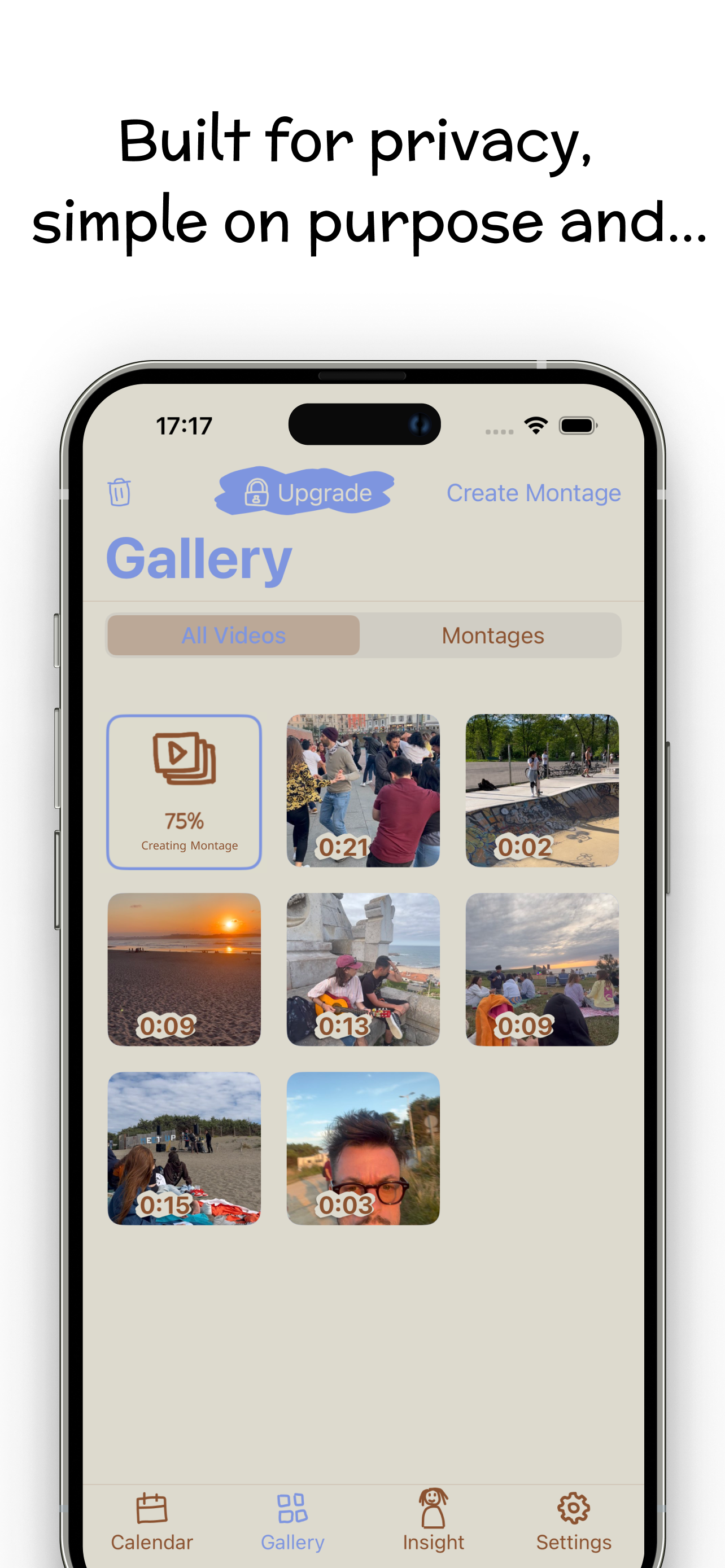
- Calendar-first organization with mood tracking, notes, and an Insight view for patterns.
- Built-in montage maker that combines your daily videos into one movie — any clip length, not just one second.
- Free for daily journaling. Premium (palettes, fonts, Face ID, iCloud backup) is optional and supports development.
It holds a 4.5★ rating on the App Store, and it does one thing well: video journaling. Try Video Diary free and see if it earns the spot on your home screen.