 Video Diary
Record one second of video every day for a year, stitch the clips together, and you get a six-minute film of your life that will hit you harder than any photo album. The "one second a day" idea became famous through a TED talk and the 1 Second Everyday app — and it works. Here's how to do it, why it works, and how to avoid the trap that makes most people quit by March.
Why one second is enough
The magic isn't in the length of the clips — it's in the density of the memories. Each second is a hook that pulls the entire day back: where you were, who you were with, what you were worried about. A year of them, watched back to back, compresses twelve months into an emotional gut-punch of a film. And because the daily cost is nearly zero, the habit survives busy weeks that would kill any other journaling practice.
Step 1: Record one tiny clip a day
Film whatever defines the day: the rain on your commute, your kid's breakfast negotiation, the empty office at 7pm. You don't need to appear in it, and you don't need it to be interesting. Ordinary is the point — ordinary is what you'll forget, and what you'll want back.
Step 2: Make it effortless
The habit lives or dies on friction. Use an app that opens straight to the camera and set one reminder at a natural moment (dinner works well — most days have found their story by then). If you miss a day, film the morning after and move on. Streak guilt kills more journals than laziness does.
Step 3: Don't chase perfect days
The failure mode of one-second journaling is saving it for "worthy" moments. Then a normal week passes, nothing feels worthy, and the habit dies. Flip it: your job is to capture the Tuesday-est Tuesday imaginable. In a year, the boring clips are the ones that make you cry.
Step 4: Review monthly
Once a month, scroll back through your calendar. It keeps motivation alive (a filling calendar is weirdly satisfying), shows you gaps while you can still remember what happened, and gives you a monthly dose of the payoff before the big yearly one.
Step 5: Compile the movie
At the end of the month or year, combine your clips into a single film. This used to mean an evening in a video editor; modern diary apps do it in one tap. Full walkthrough here: how to make a memory montage.
One second — or a little more?
Strict one-second clips make tight, rhythmic films. But there's a case for looser rules: sometimes the moment needs five seconds, or you want to say a sentence to the camera. Apps that force exactly one second make the choice for you. Apps that let clips be any length let your journal grow into something richer — daily thoughts some days, silent moments others. (That's also a gateway into full video journaling.)
Doing one-second-a-day with Video Diary
Video Diary handles this workflow natively — without locking you into the one-second constraint:
- Open → record instantly: the daily clip costs you five seconds of effort, total.
- Any clip length: one second on autopilot days, a full thought when you need it. Multiple videos per day if the day earns it.
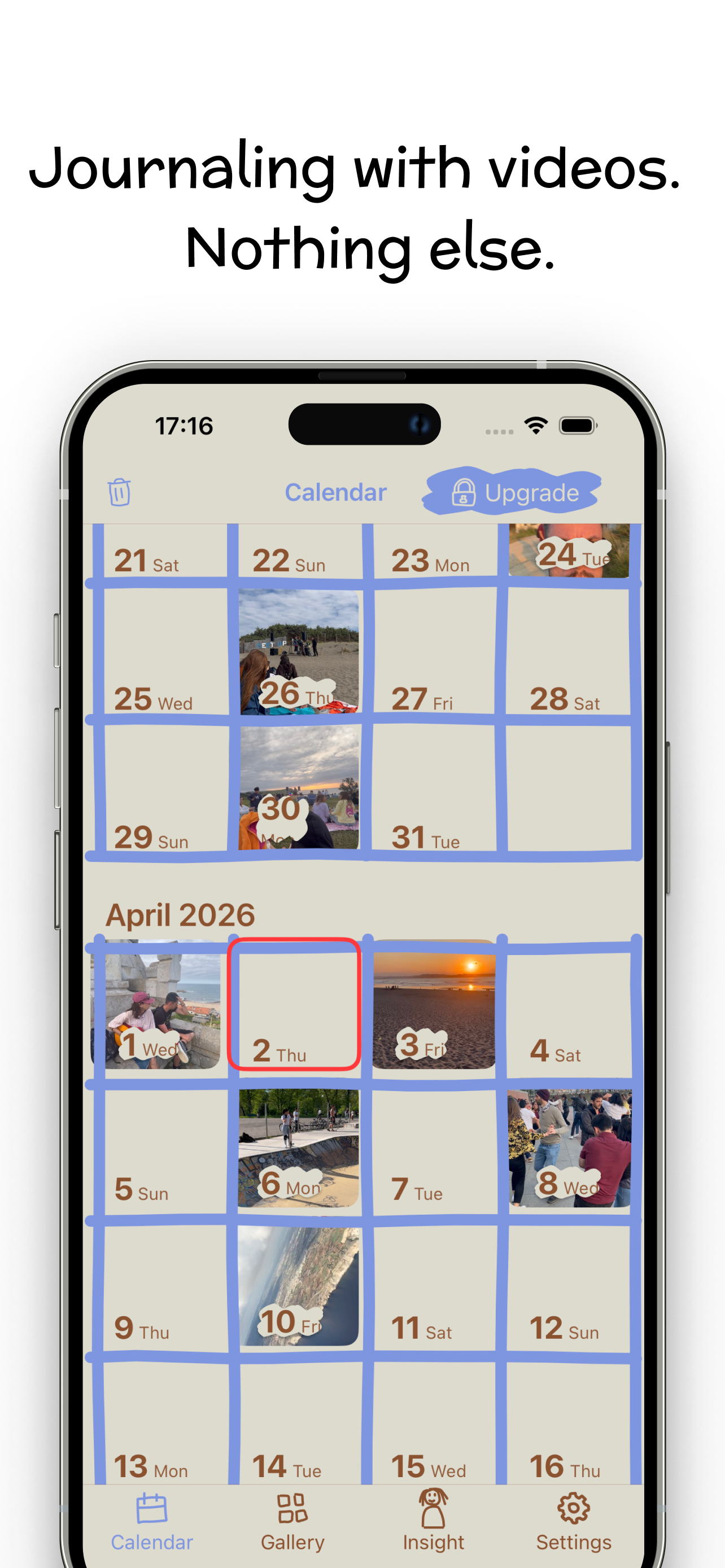
- Calendar view shows each day's thumbnail — your month fills up like a sticker chart.
- Custom reminders nudge you at your chosen moment.
- One-tap montage: Create Montage combines your daily clips into a single movie of memories — your year, in minutes.
Download Video Diary free and film your first second today. Day 365 arrives either way — the only question is whether you'll have the movie.