 Video Diary
A memory montage — dozens of short, real clips from your life stitched into one film — is the single most rewatchable thing you'll ever make. Not the polished vacation edit: the montage of ordinary Tuesdays, bad-hair mornings, and friends mid-laugh. Here's how to make one, from the recording habit to the final movie, without touching a video editor.
Why montages hit so hard
Photos freeze a moment; a montage replays a season of your life at high density. Sixty clips in three minutes means your brain gets hit with sixty distinct memories — the apartment you moved out of, the song that was everywhere, the person you hadn't met yet in January. It's the closest thing to time travel a phone can produce.
Step 1: Record short clips, consistently
The montage is made months before you generate it — one small clip at a time. A few seconds most days is plenty. Capture ordinary things on purpose: your street, your desk, dinner cooking. (The one-second-a-day method is the classic version of this habit.)
Step 2: Keep clips in one organized place
The camera roll is where montages go to die — your daily clips drown between screenshots and memes, and assembling them later becomes an archaeology project. Keep diary clips in a dedicated app that pins each one to its date on a calendar. Organization you don't have to do is the only kind that happens.
Step 3: Pick your time span
Monthly montages are quick serotonin — thirty clips, a minute long, perfect for a Sunday evening. Yearly montages are the keepsake: the film of your year, watched every December for the rest of your life. Same habit feeds both.
Step 4: Let the app assemble it
Manual editing is why most people make exactly one montage and never repeat it. A built-in montage maker takes the clips in chronological order and renders the movie for you — the difference between a two-hour project and a single tap.
Step 5: Save it, rewatch it, repeat
Keep your montages next to the diary itself. Rewatching them is what keeps the daily recording habit alive: every time you watch a finished month, tomorrow's clip stops feeling like a chore and starts feeling like a deposit.
Making montages with Video Diary
Video Diary has the whole pipeline built in:
- Daily clips, organized automatically: every video you record lands on its calendar day — your raw material collects itself.
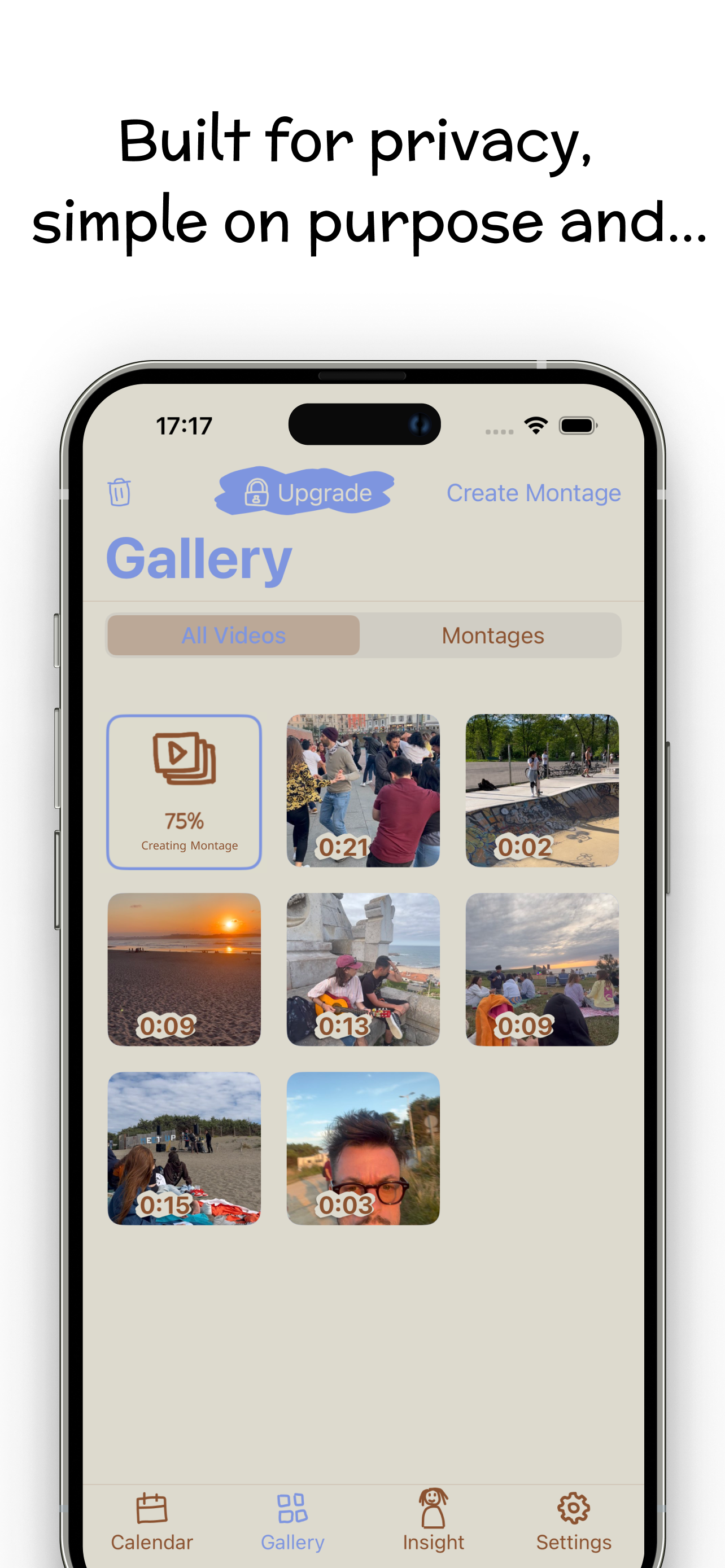
- One-tap montage maker: open the Gallery tab and hit Create Montage. The app combines your daily videos into one movie, with a progress indicator while it renders.
- Montages live beside your diary in their own Gallery filter, ready to rewatch anytime.
- Any clip length: one-second days and two-minute days mix happily in the same film.
Get Video Diary free on the App Store, record a few seconds today, and let this be the year you actually have the movie.